AI Photo Editor / Shadow remover
Faces · products · documents
Shadow Remover
Remove shadows from photos with AI: hat and tree shadows on faces, your phone’s shadow on products and documents. Free first edit, no sign-up, about 8 seconds.
- 1 free edit, no account
- ≈8 s per edit
- Photos never stored
Hat, hand and phone shadows off faces, products and paper.
In short
To remove a shadow from a photo, upload it, choose Remove shadow and press Develop — or type which shadow to remove, such as “the hat shadow on her face” or “my phone’s shadow on the paper”. The AI relights the shaded area to match the rest of the photo, bringing back the real skin tone, colour and detail, and leaves the natural shading that gives faces and objects their shape. It works on portraits, product photos and photographed documents.
Before and after
Results from this editor

 BeforeAfter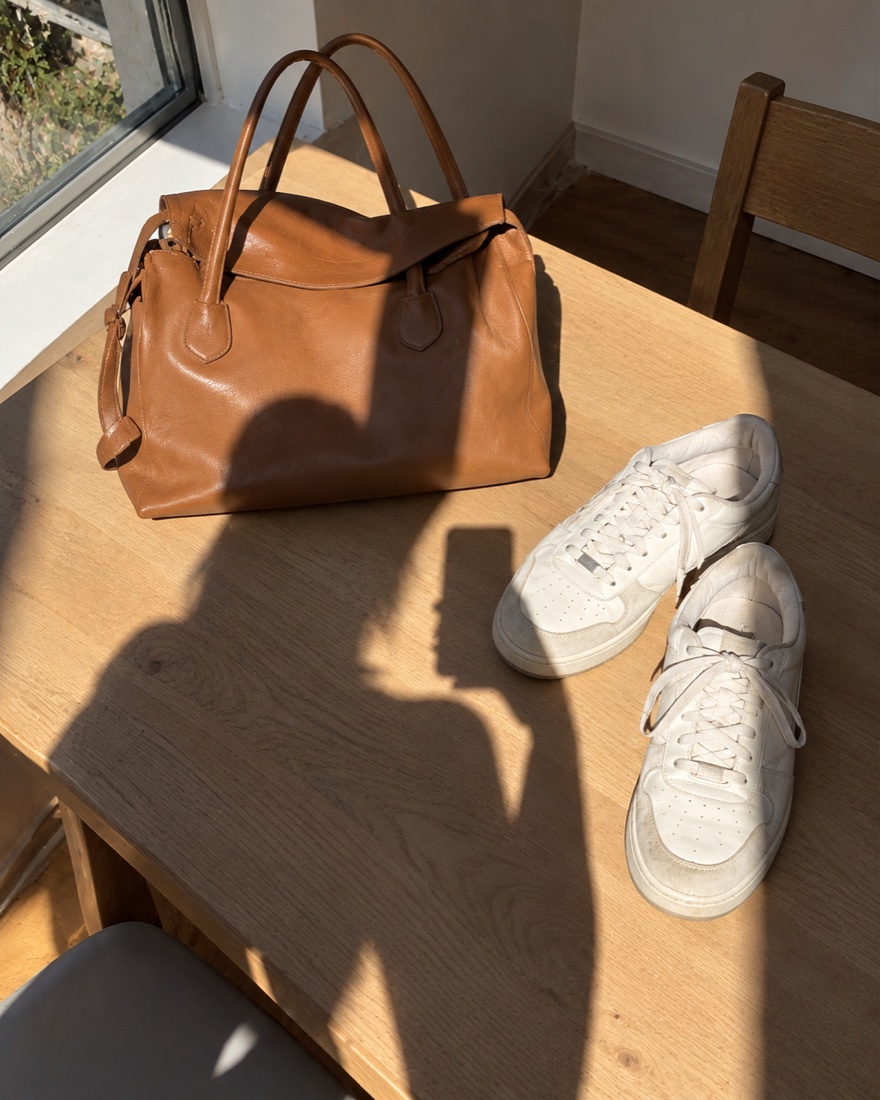
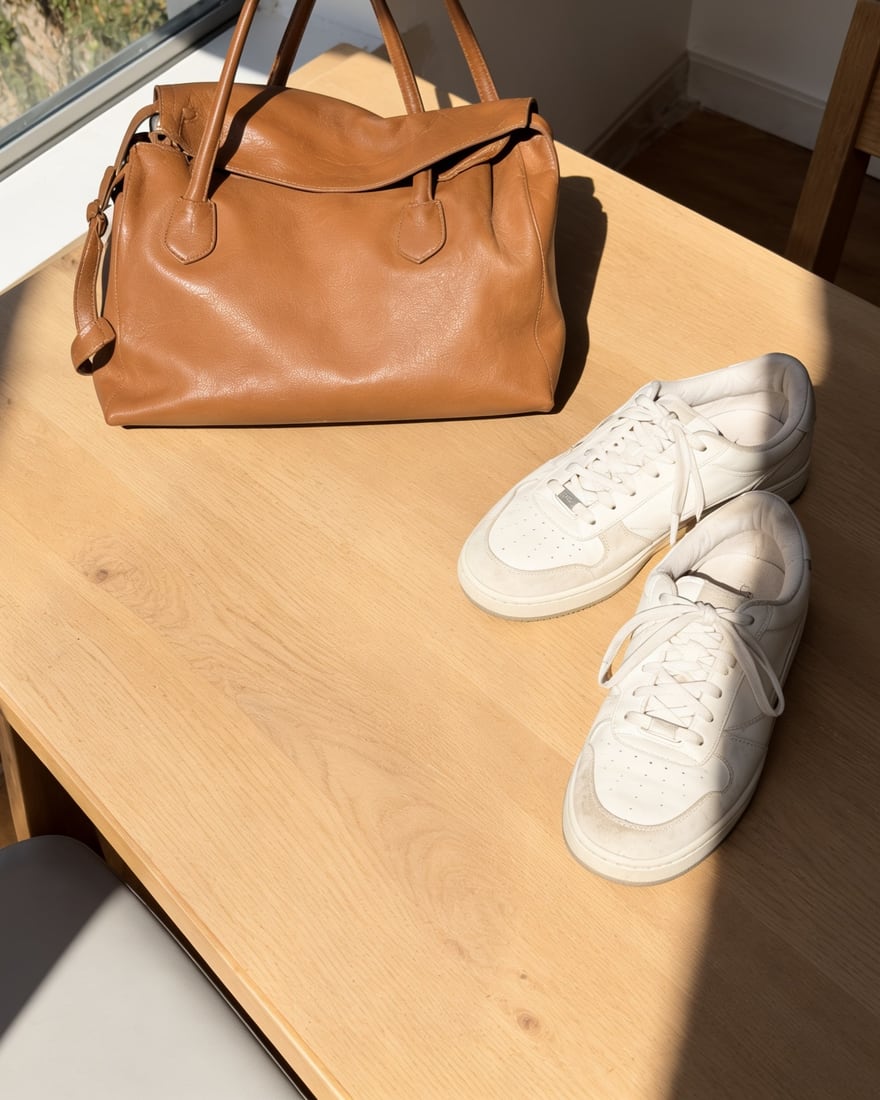 BeforeAfter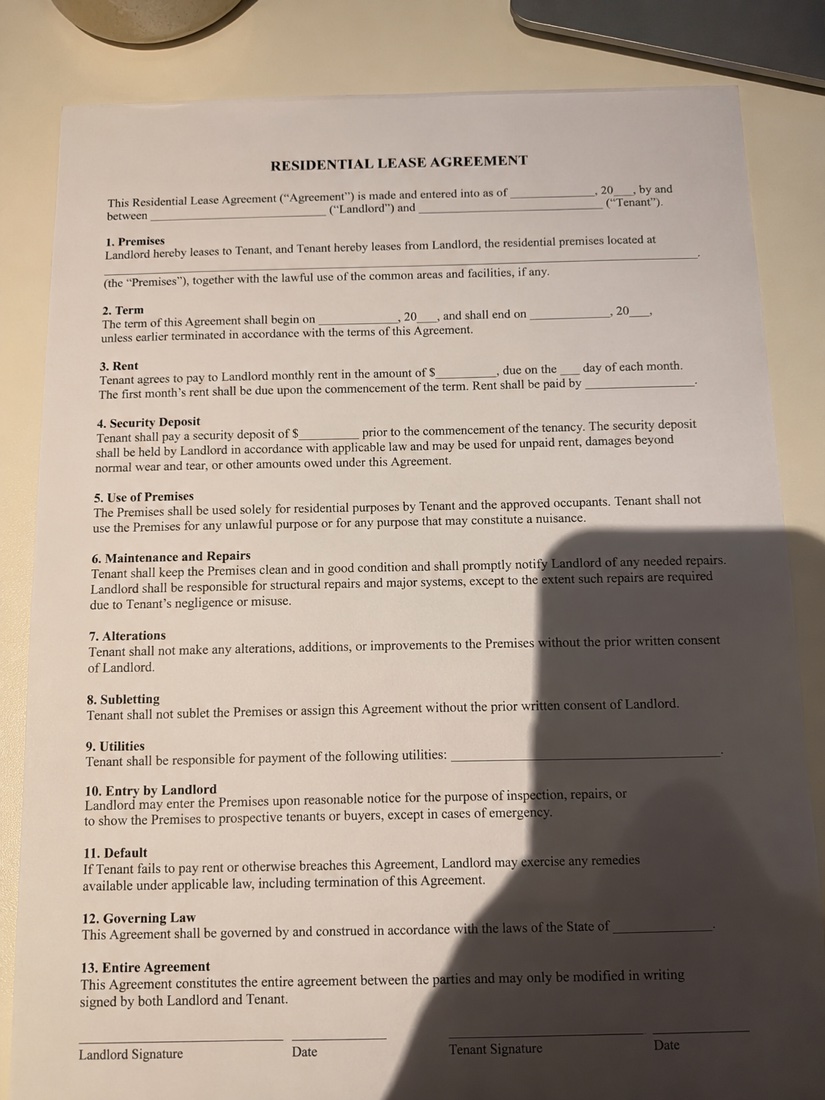
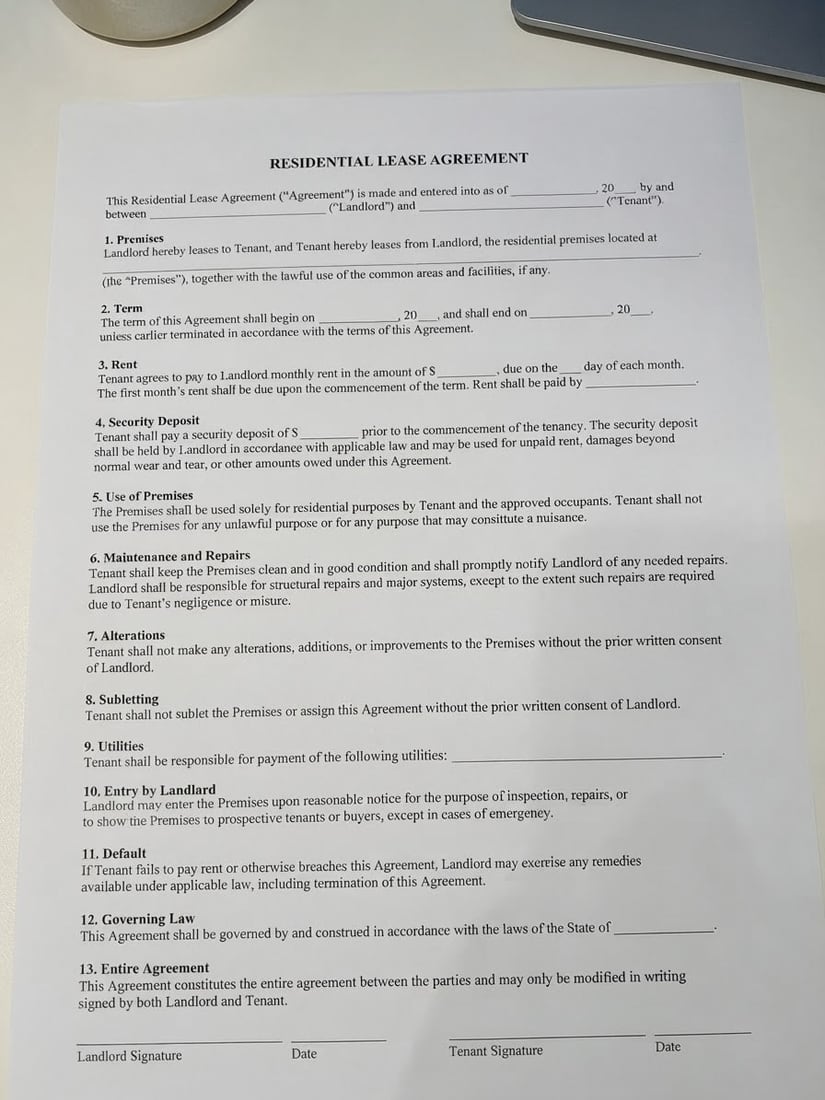 BeforeAfter
Sample photos are AI-generated and show fictional people. Results are unretouched output from the editor.
How to
Three steps
- Upload a JPG, PNG or WebP photo (or try one of the three samples).
- Choose Remove shadow. Optional: type which shadow, e.g. “the shadow of my hand on the page”.
- Develop, drag the slider to compare, then download or keep editing.
Three kinds of shadow it removes
| Photo | Typical shadow | Try typing |
|---|---|---|
| Portrait / selfie | Hat brim, tree leaves or harsh noon sun across the face | the hat shadow on her face |
| Product photo | Your own body or phone falling across the item and table | my shadow across the bag and table |
| Document / receipt / notes | Phone and hand shadow over the page, uneven light | my phone’s shadow on the paper |
Each case is handled differently: on faces the edit restores skin tone without flattening the face; on products it keeps the item’s own colour and a soft contact shadow so it still sits on the table; on paper it evens out the page and keeps the text crisp and unchanged.
Tips for a clean result
- Name the shadow when there are several: “only the leaf shadows on his shirt”.
- Very dark shadows hide detail; High quality (2 credits) recovers more of it.
- For documents, crop to the page first with the free crop tool, then remove the shadow.
- To keep a little mood, type “soften the shadows on her face” instead of removing them.
AI shadow removal vs. Photoshop and phone apps
| This shadow remover | Photoshop / manual | Basic phone filters | |
|---|---|---|---|
| How | One tap or one sentence | Select, dodge, colour-match by hand | Raise “shadows” slider for the whole photo |
| Hard-edged cast shadows | Removed and relit | Yes, with skill and time | Lightened, edge stays |
| Time | ≈8 s | 10–30 min | Seconds |
| Cost | 1 free edit, then about 8¢ | Subscription | Free |
Frequently asked questions
Can it remove a shadow from a face?
Yes. Hat, hand, hair and tree shadows on faces are the most common use. The edit brings back the skin tone under the shadow and keeps the person’s face, identity and expression the same.
Does it work on documents and receipts?
Yes. Photograph the page, upload it and choose Remove shadow; the page comes back evenly lit with the text unchanged. Always check numbers and small print against the original before you rely on them.
Will it remove the shadow under a product too?
By default it keeps a soft contact shadow so the product still looks like it sits on the surface, and removes only cast shadows on top of it. Type “remove all shadows, plain white background” if you want none.
Is it really free without sign-up?
Yes. Every visitor gets one free standard edit per day with no account, email or card. More edits use credits: packs start at $9.90 for 120 credits (about 8¢ an edit), and a standard edit costs 1 credit.
Do you keep my photos?
No. Your photo is sent to the AI model only to make the edit, then discarded. We never store the photo or the result on our servers, and we never use them for training. The edited photo is returned straight to your browser.
More tools