AI Photo Editor / Translate text in image
Posters · menus · app screenshots
Translate Text in Image
Translate every line of text in a poster, menu or screenshot into another language and keep the layout, fonts and colours. Brand names and prices stay as they are. Free first edit.
- 1 free edit, no account
- ≈8 s per edit
- Photos never stored
Every word translated in place, same fonts and layout.
In short
To translate the text in an image, upload it, type the language you want (for example “Spanish”) and press Develop. Every line is rewritten in that language in the same font, colour and position, while brand names, prices, numbers and the background stay unchanged — so you get a ready-to-use translated poster, menu or screenshot, not just a list of translated words.
Before and after
Results from this editor
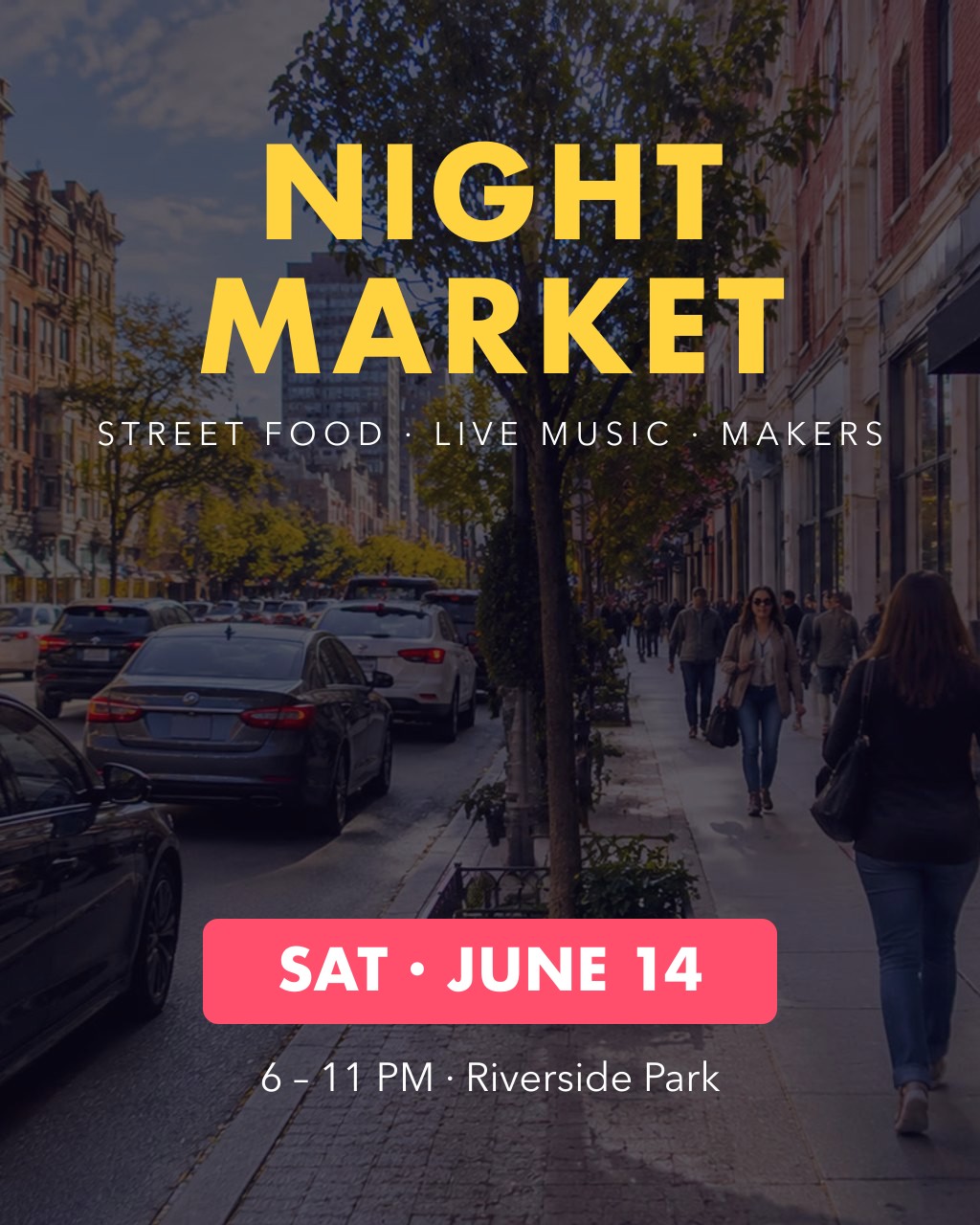
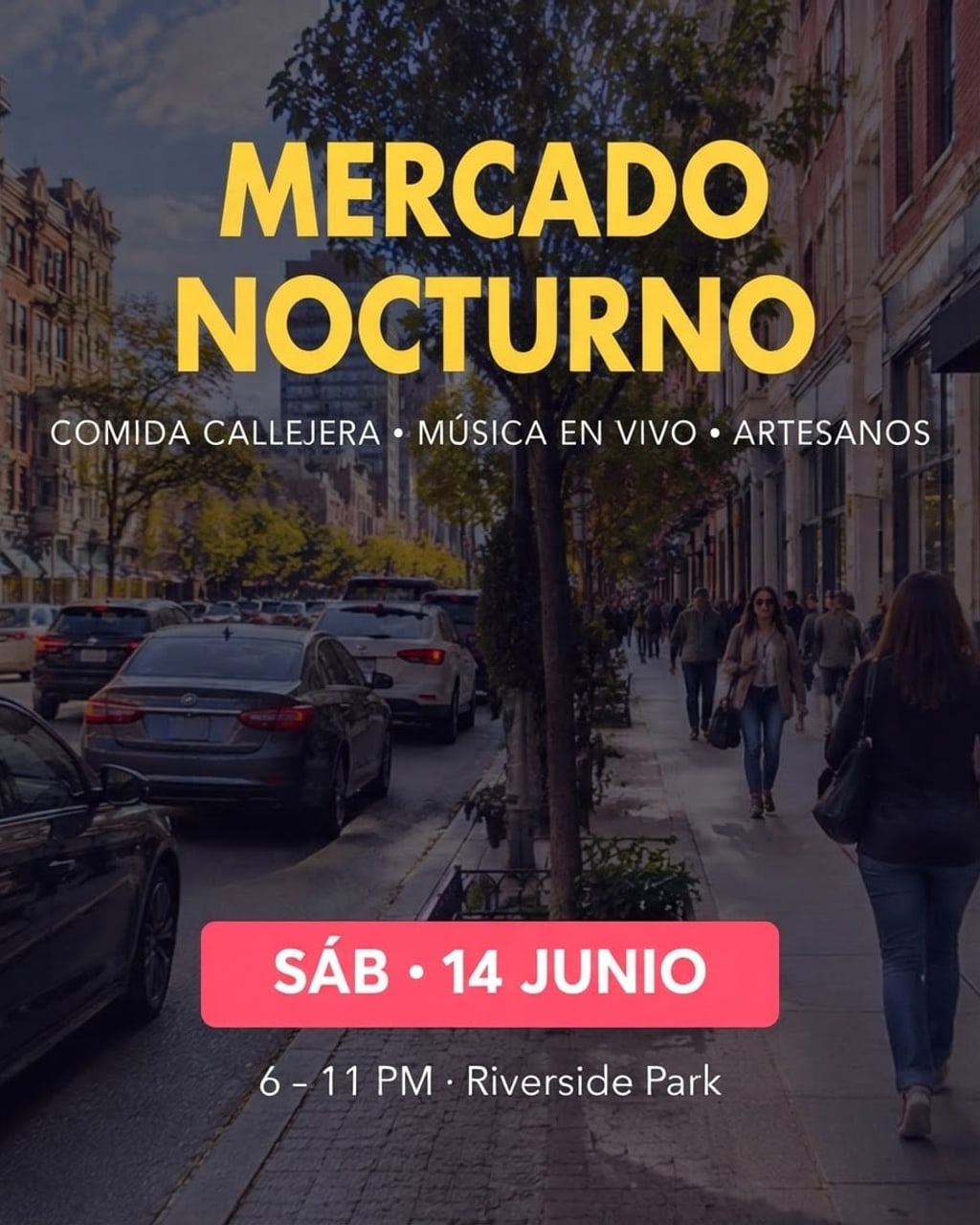 BeforeAfter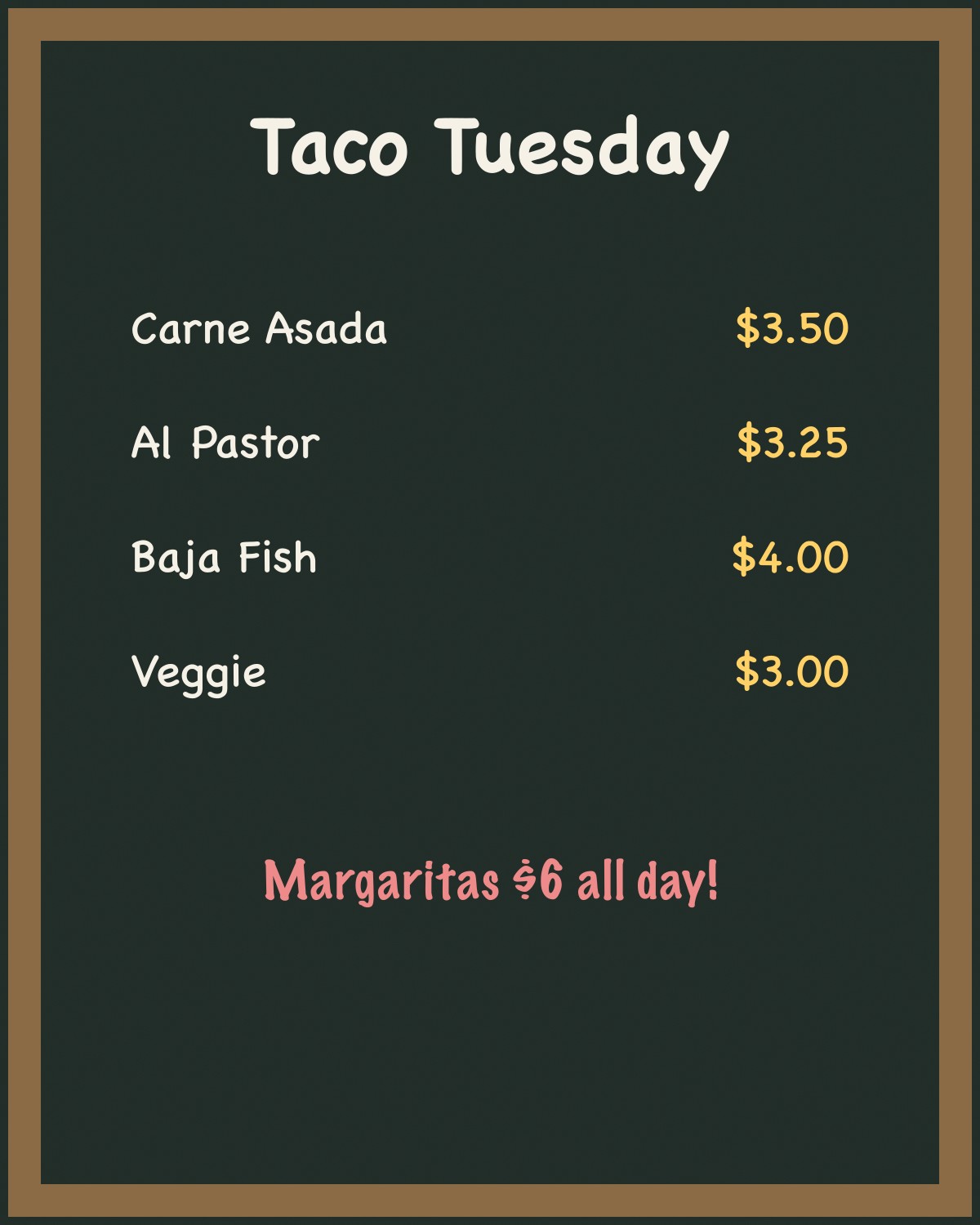
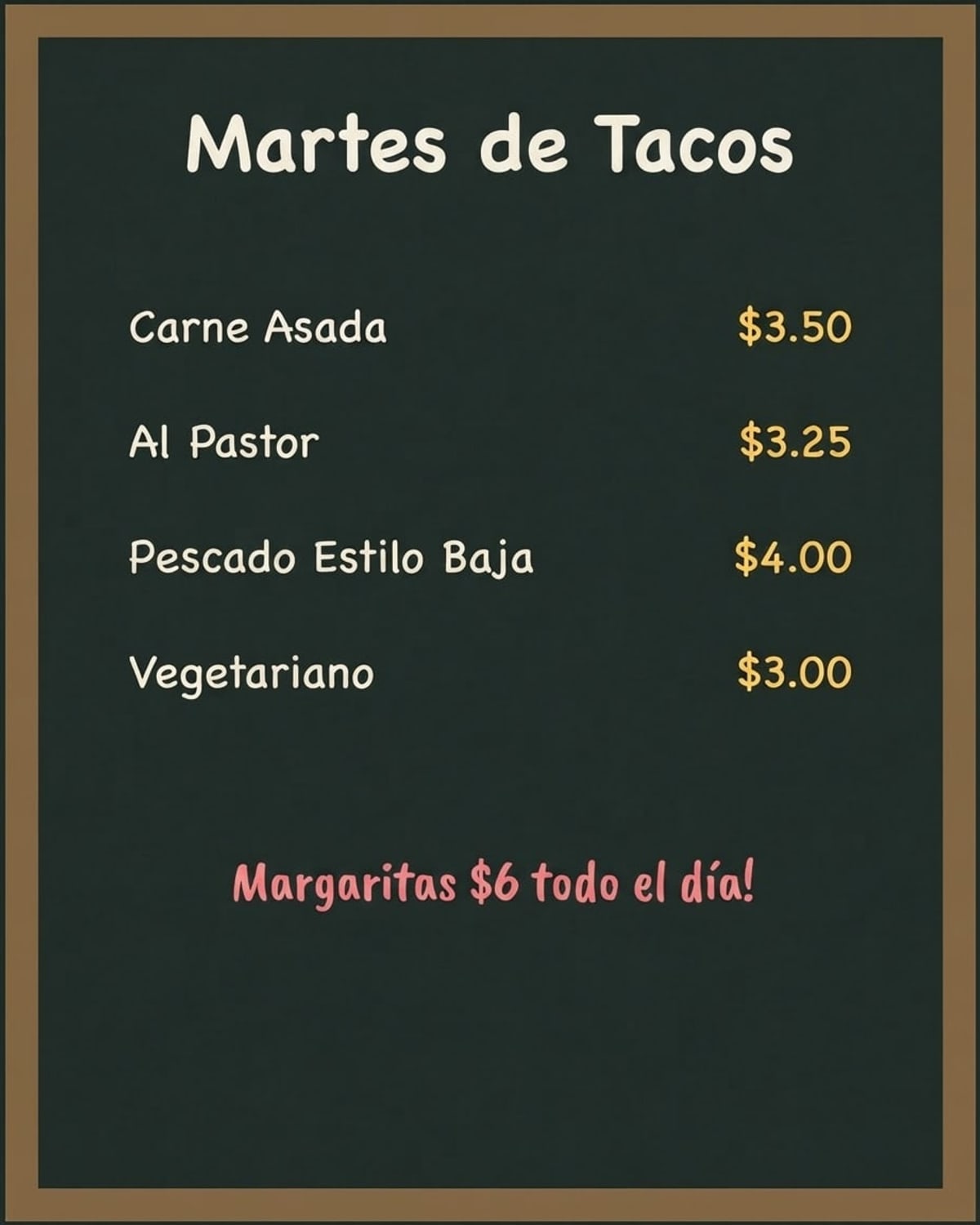 BeforeAfter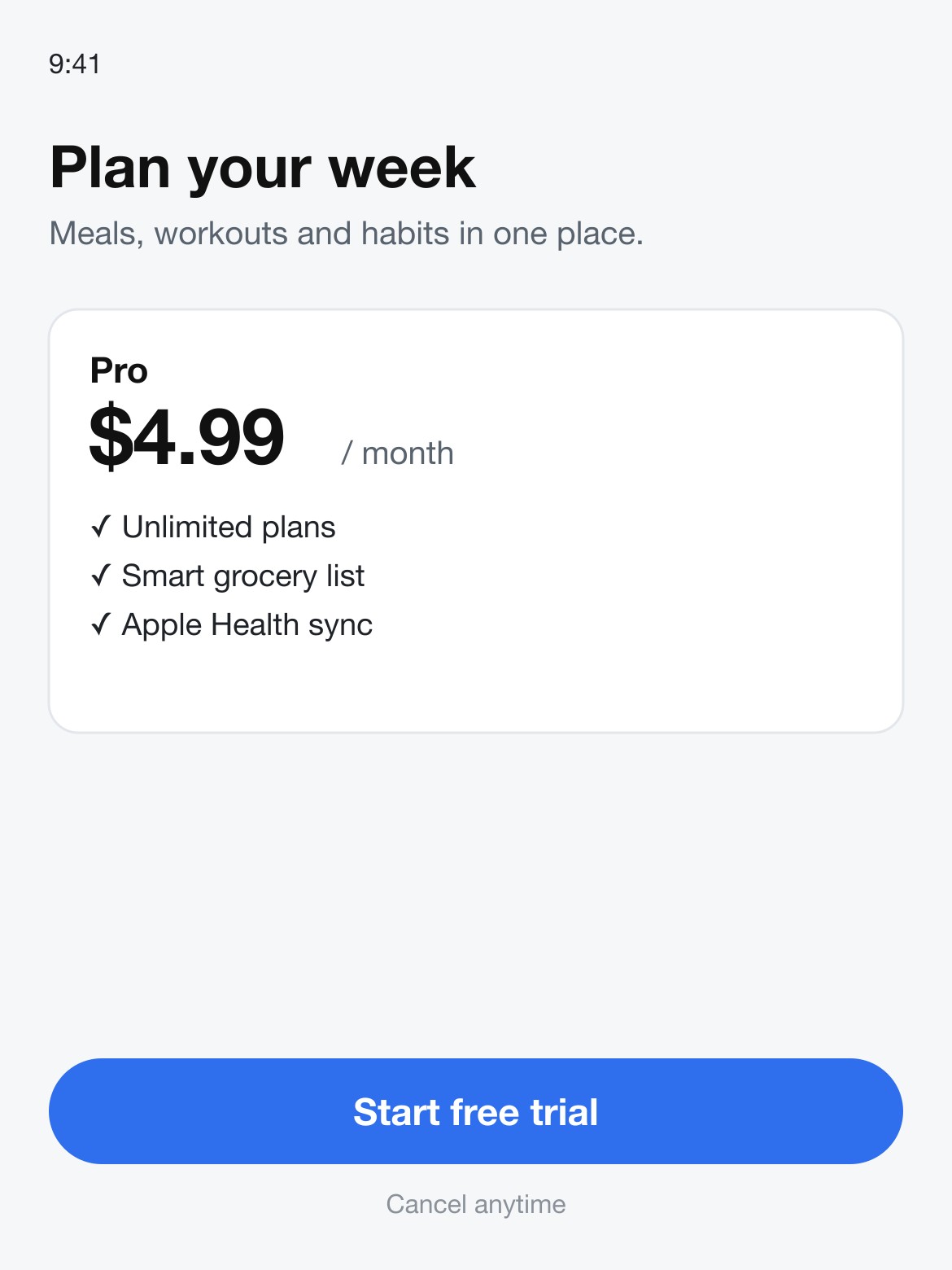
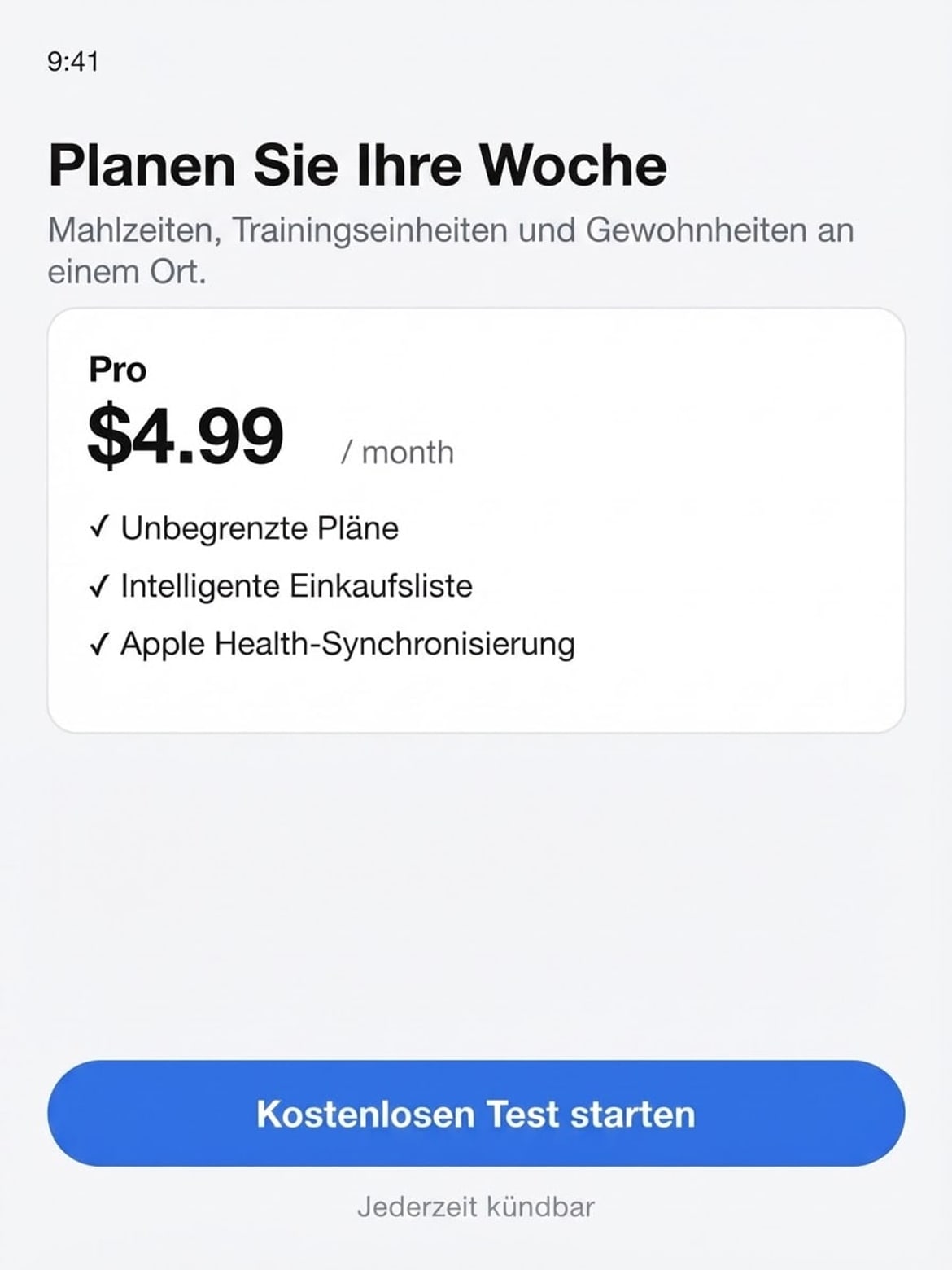 BeforeAfter
Sample photos are AI-generated and show fictional people. Results are unretouched output from the editor.
How to
Three steps
- Upload the image.
- Type the target language: Spanish, French, German, Japanese…
- Develop, check the wording, download.
Translated with the layout kept
| Image | To | Result |
|---|---|---|
| Night-market poster | Spanish | MERCADO NOCTURNO · SÁB · 14 JUNIO, park name kept |
| Chalkboard menu | Spanish | Martes de Tacos, prices unchanged |
| App pricing screen | German | Planen Sie Ihre Woche, $4.99 kept |
Translate image text vs. Google Lens
| This editor | Google Lens / camera translate | |
|---|---|---|
| Output | A new image with the text replaced | An overlay on your screen |
| Fonts and colours | Matched to the original | Generic overlay text |
| Use it for | Posters, menus, store screenshots you will publish | Reading a sign or menu on the spot |
| Cost | 1 free a day, then ≈8¢ | Free |
Before you publish
- Have a native speaker check headlines and anything legal.
- Longer languages (German, French) can crowd tight boxes — shorten the original if needed.
- Brand names and prices are kept by default; type them into the language field to change them, e.g. “Spanish, and write prices in euros”.
Translating App Store screenshots?
One screenshot at a time works today. Translating a whole set into several languages at once is on our roadmap; email us if you need it.
Frequently asked questions
Which languages work?
Major Latin-script languages (Spanish, French, German, Italian, Portuguese) work best in our tests. Other scripts often work too; check the result carefully.
Will it translate the brand name?
No. Brand names, product names, prices, numbers, URLs and logos are kept as they are.
What if the text comes out wrong?
Failed edits are refunded automatically, and a standard text edit costs 1 credit (about 8¢), so a retry is cheap. In our tests most edits come out right first time; when one doesn’t, it is usually a much longer new text — keep it close to the original length, or change one line at a time.
Is it free?
Your first edit each day is free with no account, email or watermark. After that a text edit costs 1 credit: packs start at $9.90 for 120 credits (about 8¢ an edit) and never expire.
Do you keep my photos?
No. Your photo is sent to the AI model only to make the edit, then discarded. We never store the photo or the result on our servers, and we never use them for training. The edited photo is returned straight to your browser.
More tools